



Kev tsim cov thev naus laus zis them nyiaj ntawm xov tooj ntawm tes tau hloov pauv tib neeg txoj kev them nyiaj thiab kev siv nyiaj. Nyob rau xyoo tas los no, MST (Magnetic Secure Transmission) thev naus laus zis tau nyiam qee qhov kev saib xyuas hauv kev ua lag luam ua thev naus laus zis them nyiaj wireless. Txawm li cas los xij, cov xov xwm tsis ntev los no hais tias Samsung Electronics tau ncua kev siv MST thev naus laus zis tau ua rau muaj kev sib tham txog NFC (Near Field Communication, Near Field Communication) thev naus laus zis los kav.
Vim li cas Samsung thiaj li ncua kev siv MST thev naus laus zis
Cov thev naus laus zis MST tau muab qee qhov kev sib tw rau Samsung cov xov tooj hauv ob peb xyoos dhau los. Nws siv cov teeb liab magnetic stripe uas twb muaj lawm los ua qauv qhia txog kev xa cov teeb liab ntawm cov npav magnetic stripe, tso cai rau cov neeg siv siv cov khoom siv mobile uas txhawb nqa cov thev naus laus zis no los them nyiaj yam tsis tas yuav siv cov chaw them nyiaj tshwj xeeb uas lees txais cov teeb liab. Txawm li cas los xij, Samsung nyuam qhuav txiav txim siab ncua kev siv cov thev naus laus zis MST thiab hloov nws txoj kev tsom mus rauKev siv tshuab NFC.
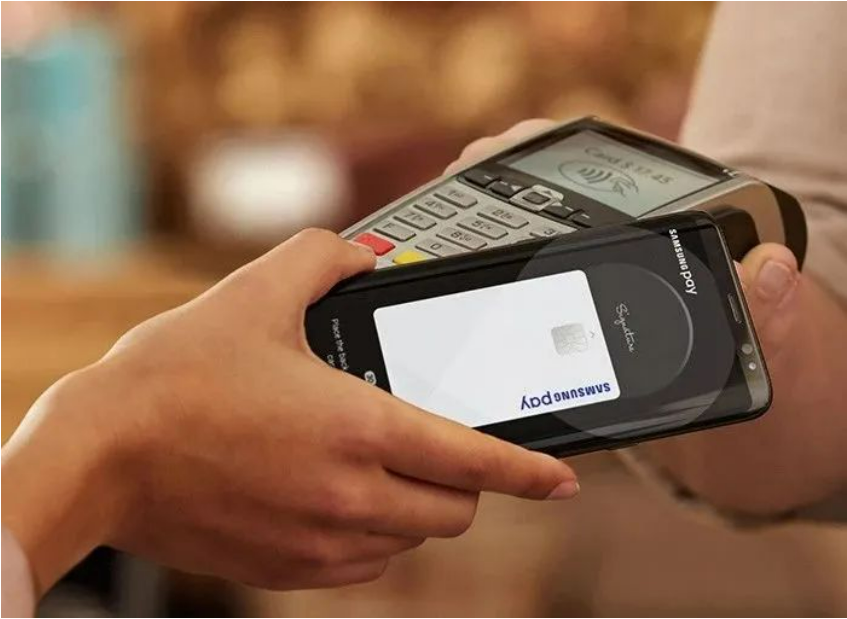
Muaj ntau yam ua rau qhov kev txiav txim siab no.
Ua ntej tshaj plaws, MST thev naus laus zis xav tau cov chaw them nyiaj los txhawb kev them nyiaj magnetic stripe, thiab nrog rau kev txhim kho ntawm kev lag luam them nyiaj mobile, ntau thiab ntau tus tub luam thiab cov chaw them nyiaj tau tig los txhawb nqa NFC thev naus laus zis muaj kev nyab xeeb dua thiab yooj yim dua. Qhov no ua rau kev lees txais tsawg ntawm MST thev naus laus zis, thiab cov neeg siv tsis tuaj yeem siv cov thev naus laus zis no los them nyiaj rau qee tus tub luam, uas txwv nws txoj kev txhawb nqa thiab daim ntawv thov hauv kev ua lag luam.
Qhov thib ob, piv rau NFC thev naus laus zis, MST thev naus laus zis muaj qee qhov kev pheej hmoo ntawm kev ruaj ntseg. Txawm hais tias MST thev naus laus zis kuj siv cov kev ntsuas kev ruaj ntseg xws li encryption hauv cov txheej txheem ntawm kev xa cov ntaub ntawv, nws qhov kev ruaj ntseg qis dua vim yog txoj kev xa cov teeb liab ntawm daim npav analog magnetic stripe.
Cov thev naus laus zis NFC siv lub zog encryption thiab authentication mechanism kom muaj kev ruaj ntseg zoo dua, yog vim li cas ntau tus neeg siv thiab cov tub lag luam nyiam siv thev naus laus zis NFC. Nrog rau qhov nrov thiab kev loj hlob ntawm thev naus laus zis NFC, nws tau dhau los ua tus qauv rau ntau qhov kev daws teeb meem them nyiaj mobile. Kev txhawb nqa dav thiab kev nyiam ntawm thev naus laus zis NFC ua rau cov neeg siv siv tau yooj yim siv NFC mobile them nyiaj ntawm ntau tus tub lag luam thiab cov chaw them nyiaj. Qhov sib piv, qhov ntau thiab tsawg ntawm kev siv thev naus laus zis MST yog txwv, thiab nws tsuas yog siv tau rau ntawm cov chaw nres nkoj uas txhawb nqa kev them nyiaj magnetic stripe, uas txwv qhov chaw rau nws txoj kev loj hlob thiab kev txhawb nqa.
Lub peev xwm thiab qhov zoo ntawm NFC technology
Nrog Samsung ncua kev siv thev naus laus zis MST, thev naus laus zis NFC yuav tsum tau los ua thiab dhau los ua thev naus laus zis tseem ceeb hauv kev them nyiaj ntawm tes. thev naus laus zis NFC muaj cov peev xwm thiab cov txiaj ntsig hauv qab no:
1. Kev sib txuas lus sai thiab yooj yim:
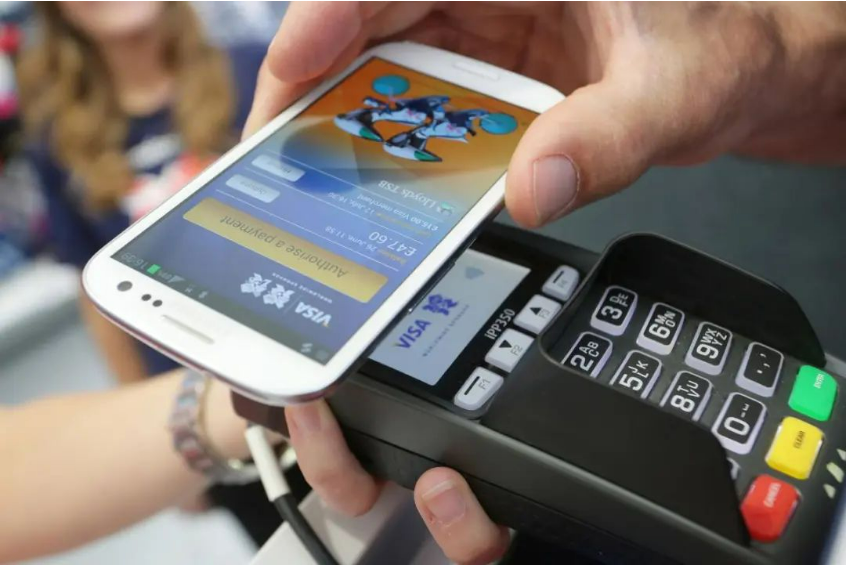
Cov thev naus laus zis NFC ua rau muaj kev sib txuas lus luv luv ntawm cov khoom siv los ntawm kev sib txuas lus wireless. Cov neeg siv tsuas yog yuav tsum coj cov khoom siv mobile uas muaj NFC ze rau cov davhlau ya nyob twg uas muaj NFC kom sib txuas lus sai thiab xa cov ntaub ntawv. Hom kev sib txuas lus ze no yog qhov ceev thiab yooj yim rau kev ua haujlwm. Cov neeg siv tuaj yeem ua tiav kev them nyiaj thiab lwm yam haujlwm nrog ib qho kov xwb yam tsis tas ntxig lossis swiping daim npav.
2. Txhim kho kev ruaj ntseg ntawm kev them nyiaj:
Cov thev naus laus zis NFC siv ntau yam kev ruaj ntseg, suav nrog kev encryption thiab authentication, kom ntseeg tau tias muaj kev nyab xeeb ntawm kev them nyiaj thiab kev xa cov ntaub ntawv. Kev them nyiaj NFC feem ntau yuav tsum tau cov neeg siv los muab kev txheeb xyuas tus kheej, xws li kev paub txog tus ntiv tes lossis kev nkag mus rau lo lus zais, yog li ua rau muaj kev nyab xeeb ntawm kev them nyiaj. Qhov kev ntsuas kev ruaj ntseg zoo dua no pab tiv thaiv kev nyiag cov ntaub ntawv lossis kev siv nyiaj tsis raug, muab qib kev ruaj ntseg ntxiv.
3. Daim ntawv thov ntau yam:
Cov thev naus laus zis NFC tsis yog tsuas yog siv rau kev them nyiaj xwb, tab sis kuj siv tau rau lwm yam. Piv txwv li, nws siv tau rau hauv cov tshuab tswj kev nkag mus tsis tas kov, daim pib hluav taws xob, daim npav tsheb npav, thiab lwm yam. NFC muab ib qho interface sib xws, ua rau ntau yam khoom siv thiab cov kev pabcuam sib txuas thiab sib cuam tshuam tau yooj yim, ua rau cov neeg siv yooj yim dua thiab ua haujlwm tau zoo dua.
4. Kev txhawb nqa dav dav thiab kev nrov npe:
Cov thev naus laus zis NFC tau txais kev txhawb nqa dav thoob ntiaj teb thiab tau dhau los ua tus qauv rau ntau cov kev daws teeb meem them nyiaj ntawm xov tooj ntawm tes. Ntau tus tub luam thiab cov chaw them nyiaj txhawb nqa kev them nyiaj NFC, ua rau cov neeg siv siv tau yooj yim siv kev them nyiaj ntawm xov tooj ntawm tes NFC hauv ntau qhov chaw. Qhov kev txhawb nqa thiab kev nyiam dav dav no muab rau cov neeg siv ntau txoj kev xaiv thiab kev yooj yim, thiab txhawb kev txhim kho thiab kev siv thev naus laus zis NFC.
Thaum Samsung Electronics tso tseg kev siv thev naus laus zis MST, NFC thev naus laus zis yuav los ua lub thev naus laus zis tseem ceeb hauv kev them nyiaj ntawm tes. NFC thev naus laus zis muaj qhov zoo ntawm kev sib txuas lus sai thiab yooj yim, kev ruaj ntseg them nyiaj zoo dua, kev siv ntau yam thiab kev txhawb nqa dav dav. Txawm li cas los xij, txhawm rau kom paub txog kev txhawb nqa thiab kev nrov npe ntawm NFC thev naus laus zis, nws yog qhov tsim nyog los txhawb kev txhawb nqa ntawm cov tub lag luam thiab cov chaw them nyiaj, thiab txhim kho kev paub thiab kev lees txais ntawm cov neeg siv. Nrog rau kev txhim kho tas mus li ntawm kev lag luam them nyiaj ntawm tes thiab kev nce qib ntawm thev naus laus zis, NFC thev naus laus zis yuav ua lub luag haujlwm tseem ceeb dua hauv kev them nyiaj ntawm tes, hloov pauv tib neeg txoj kev them nyiaj thiab kev siv tus cwj pwm.
Lub sijhawm tshaj tawm: Lub Xya Hli-21-2023


